

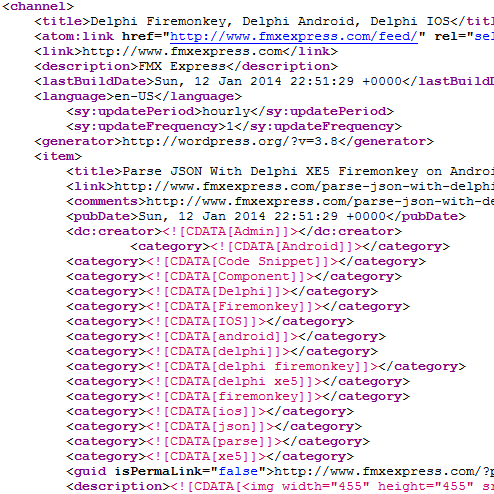
 If you want to manually parse an RSS feed and not use Livebindings here is a code snippet to do that using the built in TXMLDocument. First drop a TXMLDocument on the Form and be sure to set the DOMVendor to ‘ADOM XML v4’ (this will allow it to work on Android and IOS). Next up get your XML string from your REST Client or load it from a file and using XMLDoc.LoadFromXML() to load it into the XML component. Walk through the child nodes until you get to the node depth that you want (in the case of an RSS feed this is three levels deep. Check the NodeName to see if it the one you want (like Title) and then read out the Text value to get the value of that node. If there is a different node name that isn’t in the same you can add code to look for it instead of the sample ones I provided. Check out the full source code snippet below:
procedure TMainForm.RESTRequestAfterExecute(Sender: TCustomRESTRequest);

var

ANode: IXmlNode;

AList, AList2: TList;

I, II, III: Integer;

ATitle, ALink, AType, ADate, ADesc, AImage, AHTML: String;

begin

if (RESTResponse.Content<>'') AND (FLoadOnce=False) then

begin

FLoadOnce := True;
XMLDoc.LoadFromXML(RESTResponse.Content);
XMLDoc.Active := True;
ANode := FXMLDoc.ChildNodes.FindNode('rss');
for I := 0 to ANode.ChildNodes.Count - 1 do
begin
if (IXMLNode(ANode.ChildNodes[I]).NodeName='channel') then
begin
for II := 0 to IXMLNode(ANode.ChildNodes[I]).ChildNodes.Count - 1 do
begin
if(IXMLNode(IXMLNode(ANode.ChildNodes[I]).ChildNodes[II]).NodeName='item') then
begin
for III := 0 to IXMLNode(IXMLNode(ANode.ChildNodes[I]).ChildNodes[II]).ChildNodes.Count - 1 do
begin
if(IXMLNode(IXMLNode(IXMLNode(ANode.ChildNodes[I]).ChildNodes[II]).ChildNodes[III]).NodeName='title') then
begin
ATitle := IXMLNode(IXMLNode(IXMLNode(ANode.ChildNodes[I]).ChildNodes[II]).ChildNodes[III]).Text;
end;
if(IXMLNode(IXMLNode(IXMLNode(ANode.ChildNodes[I]).ChildNodes[II]).ChildNodes[III]).NodeName='link') then
begin
ALink := IXMLNode(IXMLNode(IXMLNode(ANode.ChildNodes[I]).ChildNodes[II]).ChildNodes[III]).Text;
end;
if(IXMLNode(IXMLNode(IXMLNode(ANode.ChildNodes[I]).ChildNodes[II]).ChildNodes[III]).NodeName='description') then
begin
ADesc := IXMLNode(IXMLNode(IXMLNode(ANode.ChildNodes[I]).ChildNodes[II]).ChildNodes[III]).Text;
end;
if(IXMLNode(IXMLNode(IXMLNode(ANode.ChildNodes[I]).ChildNodes[II]).ChildNodes[III]).NodeName='content:encoded') then
begin
AHTML := IXMLNode(IXMLNode(IXMLNode(ANode.ChildNodes[I]).ChildNodes[II]).ChildNodes[III]).Text;
end;
if(IXMLNode(IXMLNode(IXMLNode(ANode.ChildNodes[I]).ChildNodes[II]).ChildNodes[III]).NodeName='pubDate') then
begin
ADate := IXMLNode(IXMLNode(IXMLNode(ANode.ChildNodes[I]).ChildNodes[II]).ChildNodes[III]).Text;
end;
end;
// parse an image out of the description
AImage := Copy(ADesc,Pos('src="',ADesc)+5,Pos('"',ADesc)+5));
// do something with your feed data like add it to a TListBox
AddRSSItem(ATitle, ALink, ADesc, AImage, ADate);
Application.ProcessMessages;
end;
end;
end;
end;
end;
end;
This code snippet is in the the AfterExecute event of a TRESTRequest component and reads out the XML from the Content property. Download a copy of the sample code snippet.

