

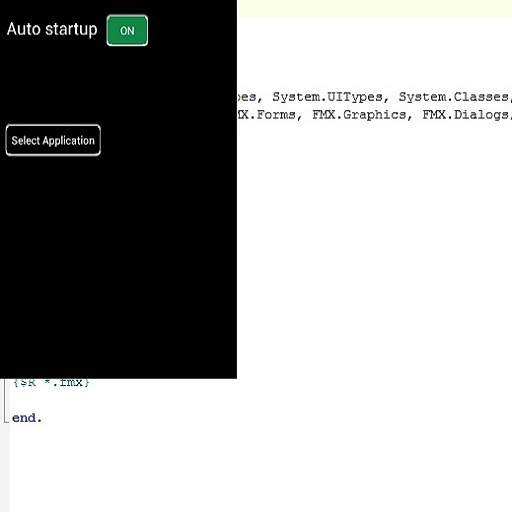
 With the DOS operating system (OS), you could start an application on system start-up by adding the application to the autoexec.bat file. With the Windows OS, you could add it to the run key in the Windows registry. How do you get an Android application to automatically run when the device boots up? It can be done by creating a broadcast receiver that listens to the BOOT_COMPLETED broadcast intent. The steps necessary to create such a broadcast receiver with Delphi XE5 include:
- create a new Delphi XE5 Android project
- set uses permissions to receive boot completed
- modify AndroidManifest.template.xml to let the Android system know you have a broadcast receiver
- write some Java code
- add it to the classes.dex
- use this new classes.dex in your project
- run the app on device
NOTE: Be sure to read the tips section as there are some important bits of information that are a must read to ensure your Android application will run when your Android device starts up.

This article don’t work for me.
What part doesn’t work?
I also could not , when I run the app it says the app has stopped or is not worked. Do you know if you have any video of the walkthrough that?
This dont work in Delphi 10 Seattle, any solution?
Maybe instead of doing the Broadcast receiver in the classes.dex file use this method for the broadcast receiver part:
http://www.fmxexpress.com/free-broadcast-receiver-component-for-delphi-xe7-firemonkey-on-android/
Dont work in XE8. When I run the app it says the app has stopped or is not worked
For D10 Seattle, I had to update the build.bat significantly from the XE5 version to make the paths point to where the executables are now (very different)
DannyWind’s XE6 demo works just fine after that.
I made a new D10 app, followed all the instructions, and couldn’t make it autostart! Eventually, I simply overwrote the D10 app’s AndroidManifest.template.xml with the one from Danny being careful to replace the
XE6 =
with the
D10=<receiver android:name="com.embarcadero.rtl.notifcations.NotificationAlarm" /
Then it autostarted. I haven't yet figured out what was so different in the D10 manifest that prevented it from autostarting! ?
Can you please show us what changes you made in build.bat?
It would be mean to me – I want to try it in Delphi Seattle 10 Update 1.
Thank you.
rem XE5 set ANDROID_JAR=”C:\Users\Public\Documents\RAD Studio\12.0\PlatformSDKs\adt-bundle-windows-x86-20130522\sdk\platforms\android-17\android.jar”
set ANDROID_JAR=”C:\Users\Public\Documents\Embarcadero\Studio\17.0\PlatformSDKs\android-sdk-windows\platforms\android-22\android.jar”
rem XE5 set DX_LIB=”C:\Users\Public\Documents\RAD Studio\12.0\PlatformSDKs\adt-bundle-windows-x86-20130522\sdk\build-tools\android-4.2.2\lib”
set DX_LIB=”C:\Users\Public\Documents\Embarcadero\Studio\17.0\PlatformSDKs\android-sdk-windows\build-tools\22.0.1\lib”
set PROJ_DIR=%CD%
rem XE5 set EMBO_DEX=”C:\Program Files (x86)\Embarcadero\RAD Studio\12.0\lib\android\debug\classes.dex”
rem —————————————————
rem instead of merging with the Embarcadero base classes.dex…
rem set EMBO_DEX=”C:\Program Files (x86)\Embarcadero\Studio\17.0\lib\android\debug\classes.dex”
rem merge with the project’s classes.dex!
rem careful with the steps: build, run bat, deploy the merged dex, not the original
set EMBO_DEX=C:\Users\NolaSpeaker\Documents\Embarcadero\Studio\Projects\!RammTracker\Android\Debug\classes.dex
rem —————————————————
Are there some simpler solutions (for Delphi 10 Seattle – update 1) if I have created own function broadcast receiver?
Not really, sorry. It’s a tricky business, but it can be done. Don’t forget: you must also modify the AndroidManifest.Template.xml
You think that it’s tricky bussiness from EMBARCADERO?
You know how to do it?
“Tricky business” means “It is not easy to do”. But yes, I’ve done it with D10. I’ve already replied to other people’s questions with the hard parts. If you followed the DanyWind article, and make the changes for D10, then that’s a good start.
Post a question on Stack Overflow. Link to it here, and I will answer it there.
I had update build.bat from XE5 to D10 Seattle – update 1.
The application works without any problems.
Application opens automatically after reboot the system.
The problem occurs when I add a background service to the application.
Application can not run already in debug with error message ‘App has stopped’.
What is wrong?
When I use the original version classes.dex as a background service application can run, but can not run again after rebooting the system. It’s a vicious circle.
There are many things that could be wrong. I suggest you separate your booting problem from you services problem. Make an app without the booting changes. Then make the service, and sort out the issues there. When that is done, add the booting changes. I want to make a blog about what I did, but I can find nowhere I can share this info right?
Hi
Any idea what the new paths should be for Berlin? I have tried unsuccessfully to locate them
Berlin upgrades the Seattle Java SDK installation, so my guess is the paths wouldremain unchanged. If you never had Seattle, then I imagine you would just update all the occurrences of “17” to “18” ie. “studio 17.0″becomes “studio 18.0”. If all else fails look for the executable that is being executed via the path setting. And set the path for that executable as appropriate in the batch file.